Encrypted SMS
for Android
Welcome to NooK SMS
NooK transforms your regular SMS into secure, encrypted messages using AES-256 technology. No internet required to operate, no data collection, nor data sharing, complete privacy. Available starting from Android 8 ("Oreo", 2017) on.
NooK speaks English, Italian, German and French but can host contacts and chats in every language.
Important: This page does not track your browser!
NB: NooK is free, has no pub and it is a gift for whoever might need it.
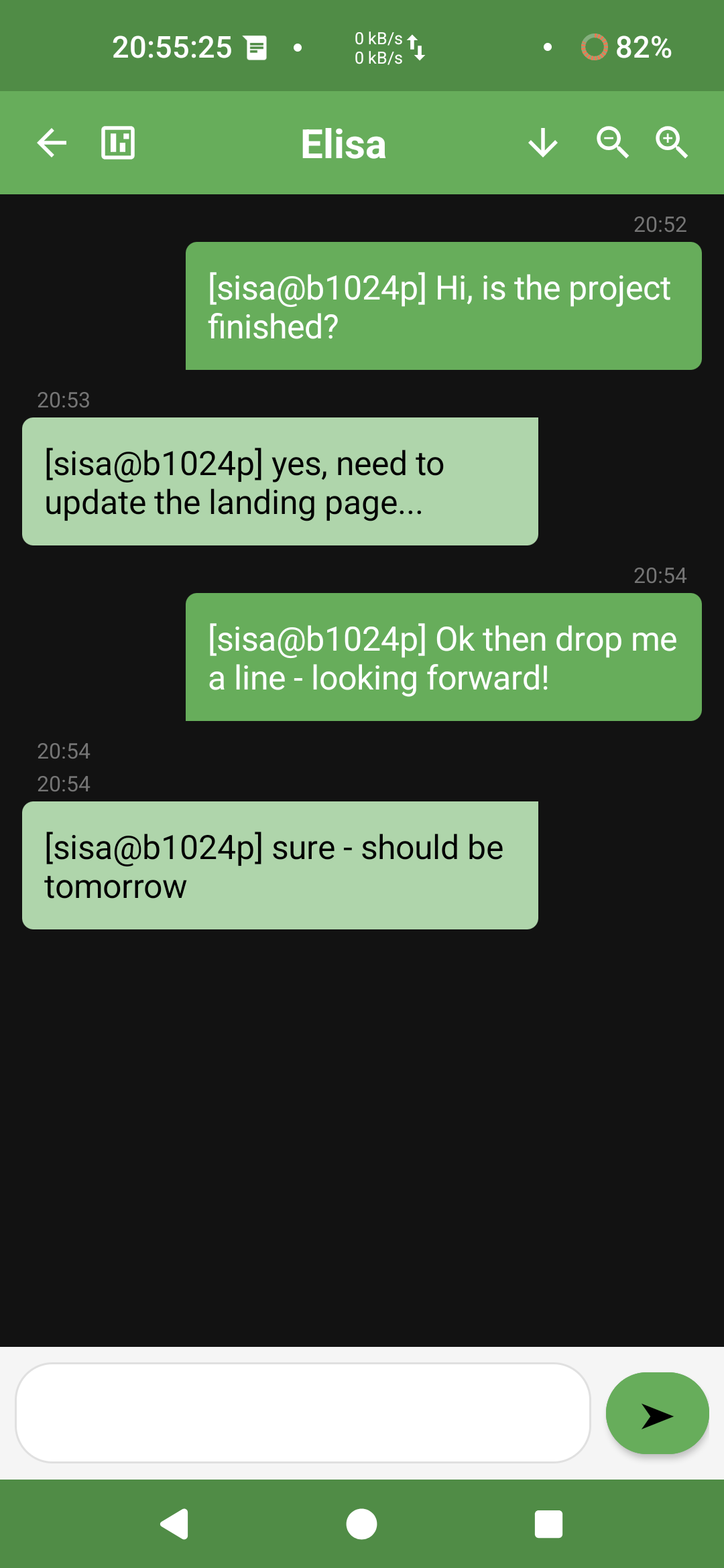
Core Features
Everything you need for private SMS communication.
AES-256 Encryption
Military-grade encryption for all your messages. Data encrypted before leaving your device. Needs another NooK app for the receiver party
Encrypted Database
All messages stored encrypted on your device. Impossible decryption. Even if someone accesses NooK database directly on your device.
Encrypted Copy/Paste
Copy encrypted text safely. Decrypt only when needed. Prevents accidental exposure of your conversation's parts.
Keyboard Management
Warning system for third-party keyboards that might leak your typing to unknown third parties.
Root Checking
Warning system for active root permissions on your phone. Root is good. But root might also help other apps looking into running NooK.
Export/Import Chats
It allows for Backup and restore of your encrypted conversations securely.
Transmission Timestamps
Each message is provided with an additional (coded) trasmission (instead of a receiving one - standard Android) timestamp.
Screenshot Block
Prevent you or other apps from taking screenshots of your private conversations.
App Security
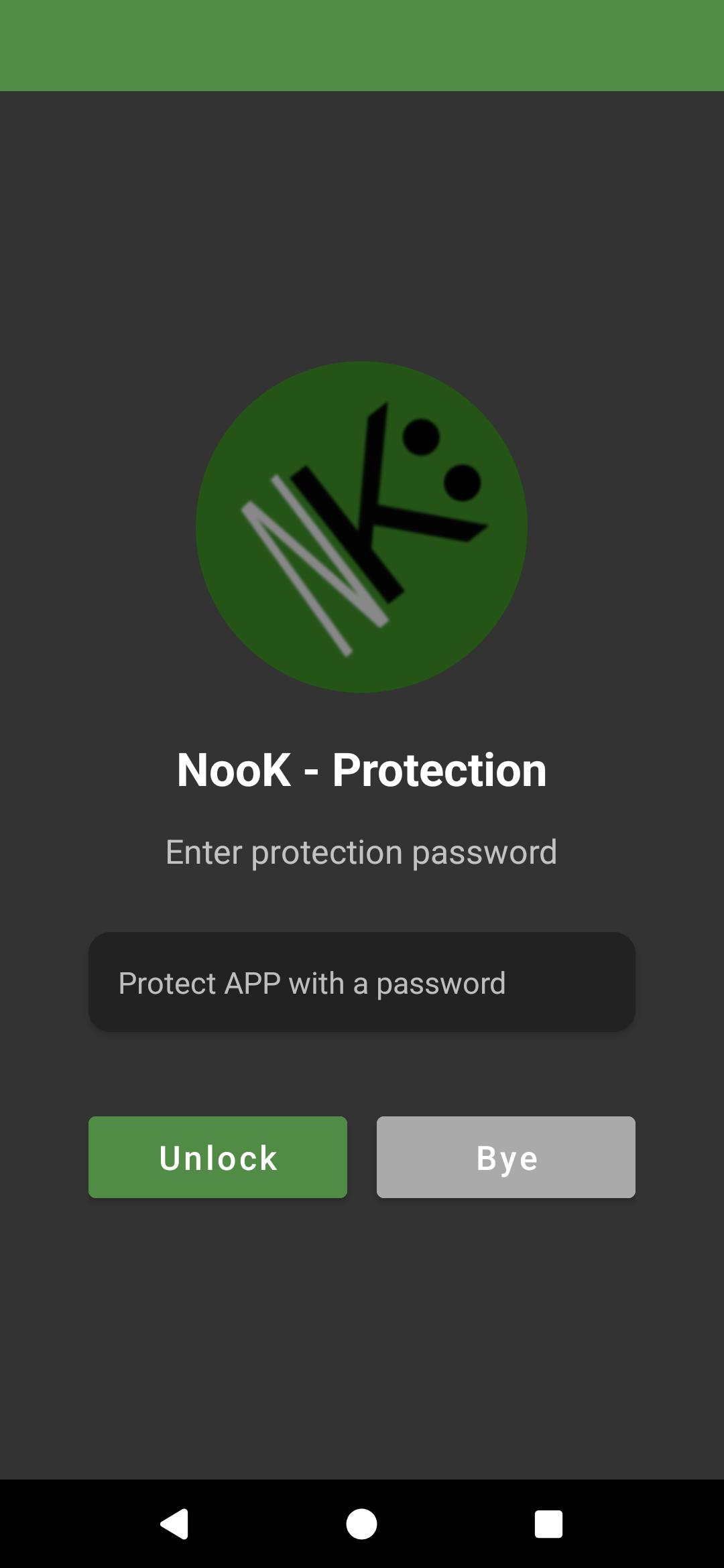
1) It password-protect the app after 2 minutes of inactivity or "now".
2) Periodic self SHA256 check against potential app modification by unknown agents.
SMS ReScan
Button for re-scanning SMS inside a given time range. Never miss an encrypted SMS, even when NooK was OFF for a time.
Version Management
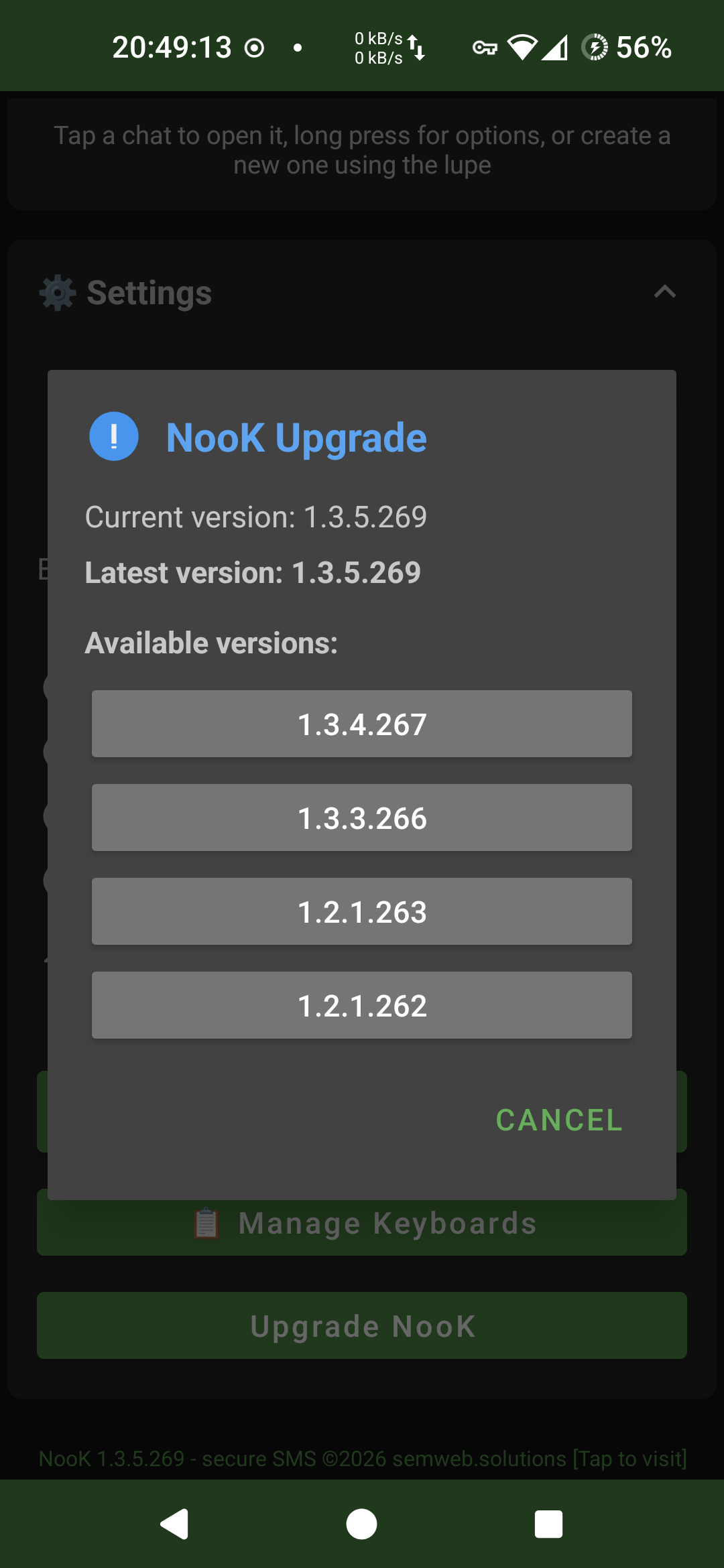
NooK informs you once a day on the existence of new NooK versions. Downgrade/Upgrade versions up to your needs.
Decryption Receipts
NooK requests (optionally) a decryption receipt from the communication partner and shows a blue ckeck on success (partner could decrypt) or a red cross on decryption failure. The receipts are rendered below each message.
Encryption Fall-Back
In case something prevents you and your partner to en/de-crypt messages, a Default encription fall-back permits you to re-align the encryption parameters with your partner (by sharing information on new encryption settings).
Geoposition sending
Push a 📍 button to send your GPS location to the partner.
SiSa Encryption
"Simple and Safe": shared secret encryption for trusted contacts.
Shared Secret Encryption
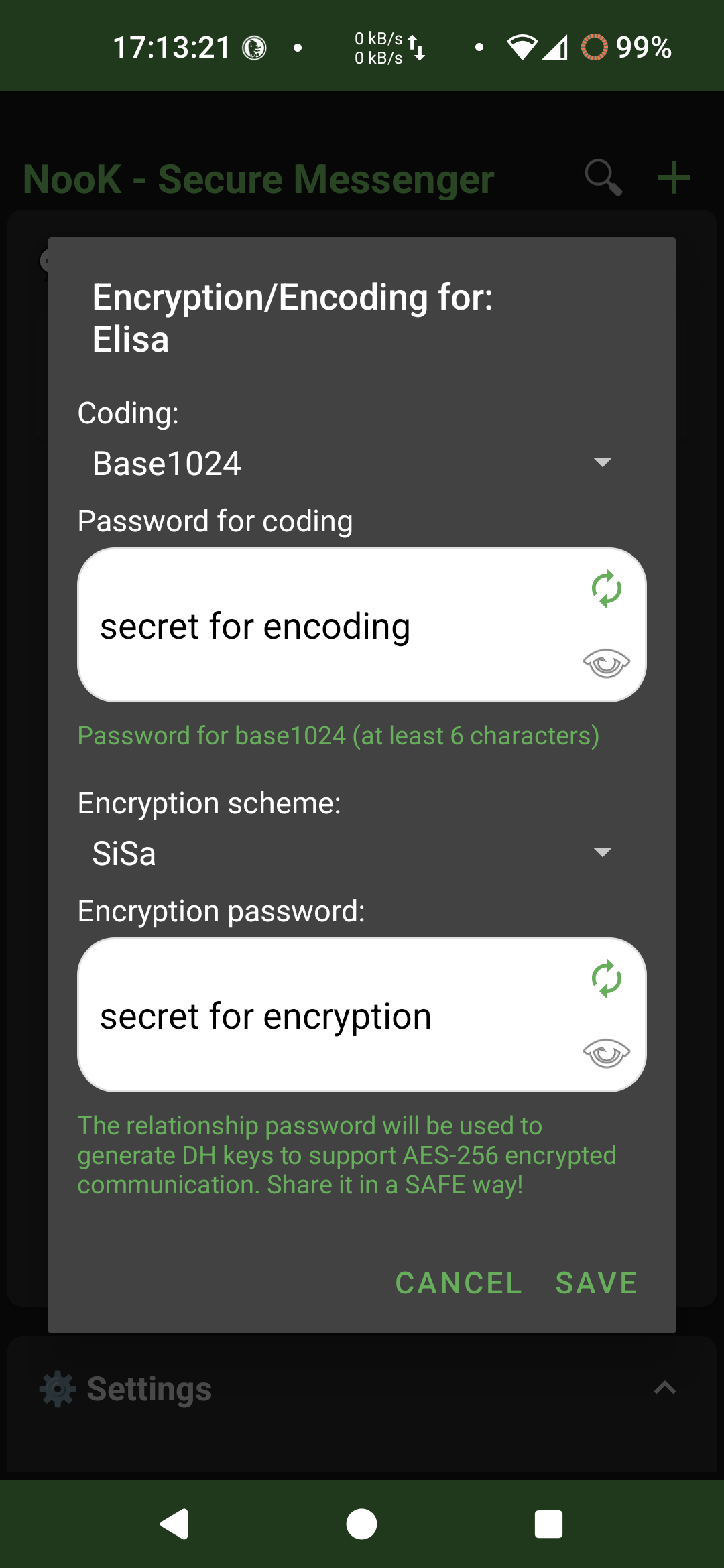
Both users (on their relative NooK apps) define a relationship password (shared secret) and an additional encoding password in chat settings. This password is never transmitted during exchange and is used to derives unique encryption keys for the exchange. At Chat creation a default Base256 encoding (without password) is pre-set. This allows for a first (weakly) protected exchange of informations without setting passwords (use with parsimony!) - this can be used e.g. to set up passwords for encryption/encoding if no third channel (e.g. telephony) is possible.
Dynamic Encoding Technologies:
- 6 custom alphabets for message encoding
- Shared encoding password shuffles the alphabets for each chat
- Each message uses a unique encoding variant
- Additional security layer beyond AES-256
Security Layers
- ✓ AES-256-GCM
- ✓ SiSa Key Exchange
- ✓ 6 Dynamic Alphabets
- ✓ Encrypted Storage
Privacy Statement
Your data, your rules
• No data collected / shared – NooK does not collect, store, or share any data. No analytics, no trackers.
• Encryption keys stay on device – Shared secrets are derived from your passwords and never transmitted.
• All messages are stored encrypted using AES-256-GCM.
• Open source – The entire codebase is public for audit.
📋 What is visible?
Standard SMS metadata (sender phone number, timestamp) remains visible to your cellular carrier, as with any SMS. Content is encrypted end-to-end between NooK users.
✅ Your responsibility
You are responsible for the safety of your device and your shared secrets. NooK provides the tools; you control the privacy.
Installation Guide
Ready to take control of your SMS privacy? Getting started can be easy!
This extra section explains in detail the basics for non-experts in Android: how to download from here the apk file for your NooK app directly on your spartphone in its Download folder.
When you start the file download (see below, Click "Download APK"), a download process is started - here you should see (depending whether you have a high or low internet speed) on the upper left side of the screen a moving arrow showing that a file download has been initiated. If you stay on your smartphone screen, at the end of the download process you will see (on the bottom of the smartphone screen) a tiny dialog asking to open/install what you have just downloaded. Another possibility to catch your fresh download is to open the notifications on your smartphones. There you should see something like "download complete" and the name of the downloaded file - ending with ".apk". Click on this notification to start installing the downloaded apk file. Otherwise, if you could catch the tiny dialog at the end of the download process, tap on that to start the installation process. Otherwise - no problem - you can repeat the download and be more responsive or you can go for your Download folder on your smartphone: In order to do this, you have to be familiar with basic file navigation steps on your smartphone.
Specifically, to localize NooK's install APK file in your Download folder on your smartphone (after its complete download), you'll have to be familiar with: 1) Switching among apps on your smartphone, close all apps, recall one app; 2) Your file explorer APP - normally called "Archive" - you should know where find it and to open it (hint: all Applications, then Archive, then open); 3) The Download folder on your smartphone - you can visualize the download folder in the Archive app or directly if you are fast enough to press the open link appearing after the APK download.
• If you missed the "Download finished - click to install" Notification on your smartphone, just open your file exploring App, fgo to Downloads, identify the latest Nook APK file you just downloaded and click on the file. The installation process will start.
• Both parties need the NooK app installed on their phones - however, each NooK app might talk to n other NooK apps with other parties
• The installation "motto" is "install anyway"!
• Enable Installation from Unknown Sources: On your Android device, go to Settings > Security. In your device settings on privacy and security, enable the option "Install unknown apps" or "Allow from this source" or uncheck "app Installation Block" or similar actions (which might change in the future) for your file manager or browser (You may always enable that again after this installation).
• The installation process asks you to let PLAY PROTECT first scan first NooK to Google Play Protect for analysis before you install it. No problem - let scan - or bypass this. If no other link is clickable use this link and then install, or search for a tiny text between big buttons saying 'install anyway' and press / click it to install it.
• Download the latest NooK APK here from this page or from github directly:
• NB: Starting from version 1.4.x.yyy the encryption sign used in the underlying SMS has been changed from '#' to '✅' - this introduced a significant change in how message are understood. Please update NooK to this version or newer in order to guarantee the exchange. The use of '#' in an SMS caused some AI augmented Android OS to "understand" the intention of a command - and to answers back to the transmitter with a base64 coded message (!) saying something like "command not recognized - type ##help for help", thus comsuming uselessy one SMS for the answer. • NB: Starting from version 1.5.1.yyy due to detected padding problems the encoding of encrypted message has been changed to only be only base32, base64 or base256 - this version is not compatible with the previous ones
Warnings:
• Android installer will want to "understand" that the app be potentially dangerous
Well: maybe "potential-ly" (useful). But not dangerous at all -> see yourself the code on GitHub (SmsReceiver, SmsSender, SmsScanner) - NooK is safe.
• In case NooK be behind a local inner proxy app (like e.g. DuckDuckGo Tracking Protection) please exclude NooK from the list off apps considered to be analized. NooK does not track anything, and letting NooK traffic through this proxy might cause isolated communication problems (retention of encrypted messages, while thought to be dangerous...) and received encripted messages might not reach NooK and you might not see the message.
🚀 Launch NooK app
❗ READ and Accept disclaimer (!!) & Grant 3 Permissions - Check that the whole permissions have been granted! Some OS, e.g. some Android 15, will not grant NooK the whole SMS permission - and Nook will not be able to run proberly.
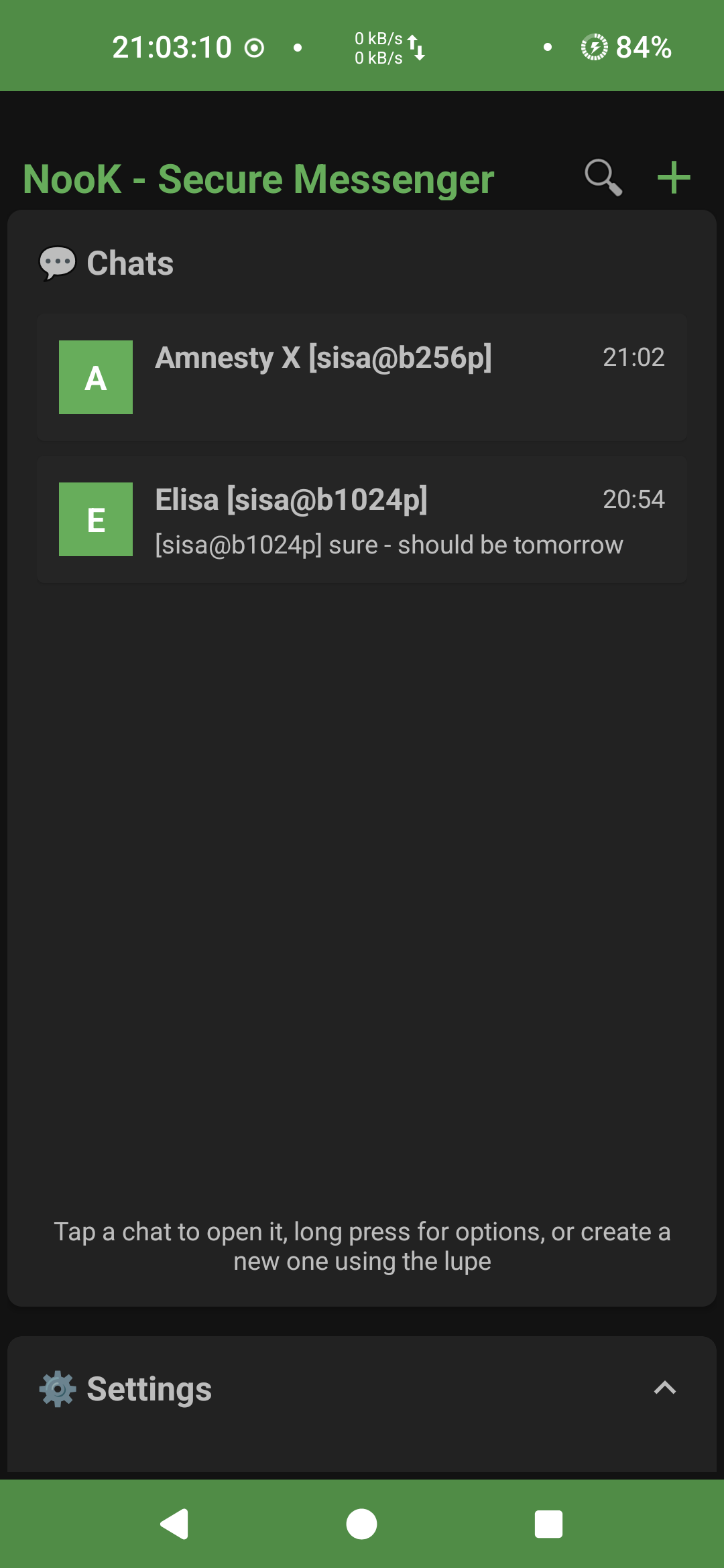
• Define one or more trusted contacts from the settings or create directly a chat using the lupe (top right) symbol
• Start Chatting Securely!
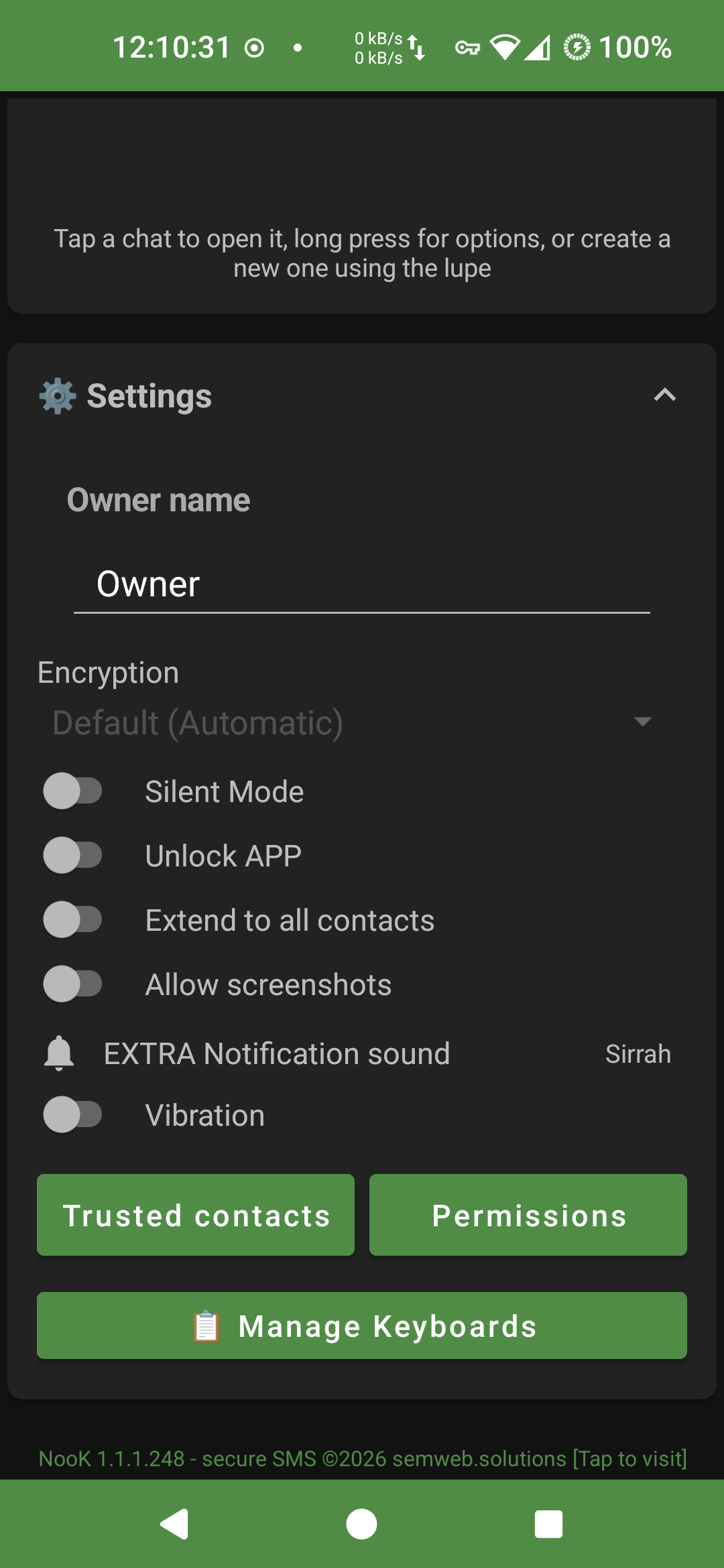
• Change your (weak default) security settings (see above) in case you should feel more safe.
See a short intro video showing the first steps See a short intro video showing using the more general trusted contacts
That's it! Your messages are now encrypted end-to-end and travel via SMS
Know-How pills
Be effective with NooK
Imagine you have a super cool diary with a lock on it, and inside you write all your secrets. Encoding is like writing your diary in a secret code that everyone knows. Let's say you and your friend both have the same "secret decoder ring" that turns A into 1, B into 2, and C into 3. You write "8-5-12-12-15" in your diary. Anyone who finds your diary and has the same decoder ring (or knows the trick) can instantly figure out it says "HELLO." It's not really a secret; it's just changing the way the message looks so it's easier to write or send. It's like turning a sentence into Pig Latin. Everyone knows the rules! Note however how the words morphology might unveil the words itself. Encryption - on the contrary - is like writing your diary in a secret code that only you and your best friend know. Imagine you and your best friend make up a brand new, super special alphabet that nobody else has ever seen. You write your diary entry using this special alphabet. Now, if your brother finds your diary, he'll just see a bunch of squiggles and lines. He has no idea what it says because he doesn't have the special key to understand it. You've scrambled your message so that only the person with the right "key" (your special alphabet) can unscramble it and read it. So, the main difference is the SECRET (password) part, another one is the alphabet used to encode: Encoding: Changing a message so it's shown with different characters, but preserves its originary morphology. It's not for keeping secrets. Encryption: Changing a message to keep it a secret. You need a special, private key to understand it. NooK adds an additional SECRET (password) to derive a shuffle of available 3 * m (m derived from your encoding password!) encoding alphabets (base32, base64 or base254) each with 32, 64 or 256 different characters. This creates additional alphabets which first of all need to be discovered. When you create a fresh chat between two participants, NooK sets as a first (weak) default, just the base256 encoding. This means that the participants may already start exchanging things without being read by third parties. This is a facility to start sharing secrets. But BEWARE: encoding alone just substitutes characters of your text, do not alter the words morphology! So by only encoding - with a computer - some successful efforts can be done to guess the words thanks to their morphology. Passwords instead, might be still safely enough be exchanged (because they have no clear language morphology). Encryption requires more Device CPU power (and battery)! NooK's encryption method adopt a military degree encryption level (AES256) - this is far away and much more safe than just encoding. Third parties would need thausands of years to decode one single message! [Unless Quantum Computers be dramatically improved].
100% Open Source
This project is released under the GNU General Public License v3.0.
Review the code, verify the encryption, contribute to development. No hidden backdoors, no data collection.
GitHub Repository